Hello Everyone and Welcome to Deliteful Hearts, if you are not a member hit JOIN.
NON MEMBERS Click here to vote for us you do not have to join just vote when you are here
DelitefulHeartsTags Aimoo Forum List | Ticket | Today | Member | Search | Who's On | Help | Sign In | |
DelitefulHeartsTags > Paint Shop Pro Goodies and Snags > ✺✳ ┅ ⑅ ┅ ✳✺ HTML Codes ✺✳ ┅ ⑅ ┅ ✳✺ Go to subcategory:
Author Content
Sharon2Rusty
  • Rank:Super Poster
  • Posts:202926
  • From:USA

Date Posted:07/30/2026 12:34 PMCopy HTML

i made this tutorial back in 2024

i may redo it 

and bump it up to somethign newer.

but for right now i will post this one

Sharon2Rusty Share to: Facebook Twitter MSN linkedin google yahoo #1
  • Rank:Super Poster
  • Posts:202926
  • From:USA

Re:How to make a page

Date Posted:07/30/2026 12:36 PMCopy HTML


now we copied and pasted the html code

in the middle link and there you go


HTML by Chatterbox


Sharon2Rusty Share to: Facebook Twitter MSN linkedin google yahoo #2
  • Rank:Super Poster
  • Posts:202926
  • From:USA

Re:How to make a page

Date Posted:07/30/2026 12:36 PMCopy HTML


now we copied and pasted the html code in a new message

now it is time to place the backgrounds in the slots...

you will see html


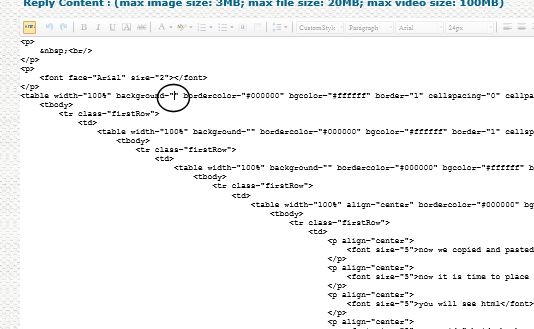
here is where you will put the address to the background in slots

we are going to add the gold one in 2 places the first and third links...

you will see like 3 background with "" like this... this is where ( "" ) we will add the background code

click in the center and paste the code


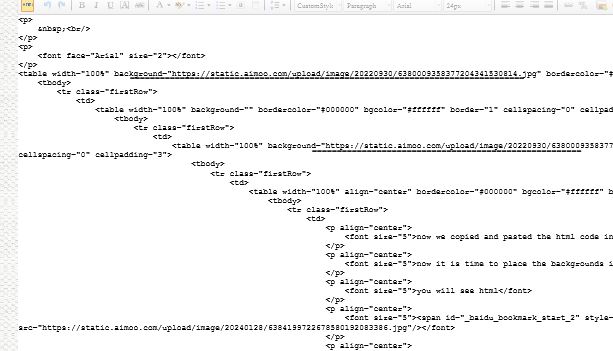
see where the lines are  I added the gold tile and should see it on this thread now...

then go to the flower or the other background copy and paste it to the middle link..


HTML by Chatterbox


Sharon2Rusty Share to: Facebook Twitter MSN linkedin google yahoo #3
  • Rank:Super Poster
  • Posts:202926
  • From:USA

Re:How to make a page

Date Posted:07/30/2026 12:35 PMCopy HTML

 ok we are going to use a 4 layer code and 2 papers

one gold one and lets do a spring time one...

I will post the papers here... there are like a 100 by 100


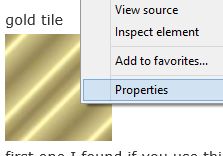
gold tile

first one I found if you use this one

you will see a square look at the end of the tag


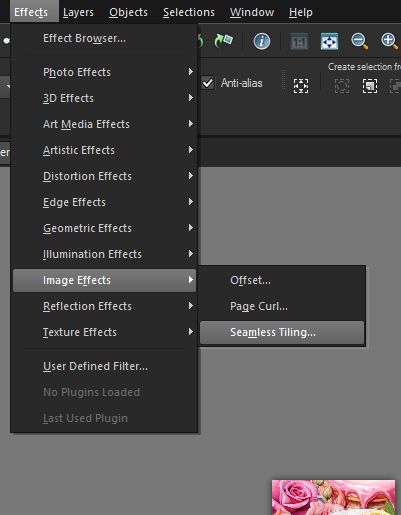
but I went to seemless tile and did this one to make it go on and on with the page


go to effects

image effects

seemless tiling


now when you are making your page find a code you want to use....

copy and paste it the a new message...

now we are going to go and copy the codes for the background


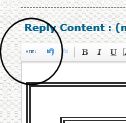
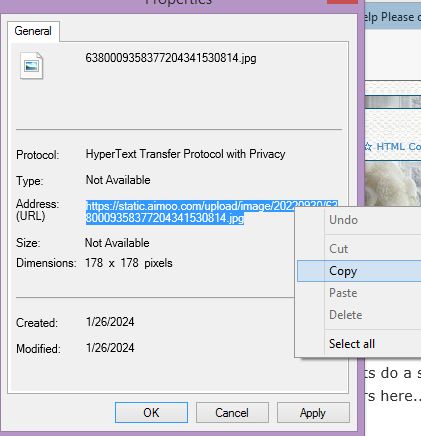
go to properties

and you will see a address url copy the whole thing

now go back to the html code...


here is the html code we are going to use


the 4 layer code


HTML by Chatterbox


This Site is Dedicated to Our Owner SassyB
Rest In Peace to Our Members.....We will always Remember..... Never Forget You
Fuzzy - Ilona - BlueSea Susan - Alan - Star - Betty
Nancy aka CyberDuckee
Fond Memories of our members, Donna - Susan Brown - Cheryl
Copyright © 2000- Aimoo Free Forum All rights reserved.