|
 |
|

| Title: Tutorial to making a page | |
| DelitefulHeartsTags > Paint Shop Pro Goodies and Snags > ✺✳ ┅ ⑅ ┅ ✳✺ HTML Codes ✺✳ ┅ ⑅ ┅ ✳✺ | Go to subcategory: |
| Author | Content |
Sharon2Rusty

|
|||||
|
Date Posted:07/31/2026 2:34 PMCopy HTML ok pick out a html code page you want to use... i like to open up a few things like the code board, a glitter or a tile board and a testing board so i have 3 or 4 links at the top i am going to go to chatterbox board and pic a 4 layer one out here she is copy html and open up a new reply
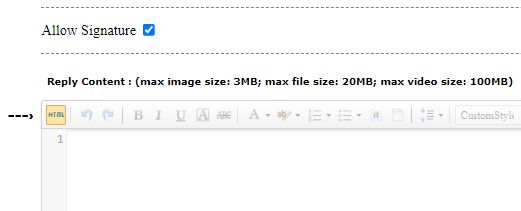
when you hit new reply... go to html and paste the 4 layer code on your thread....
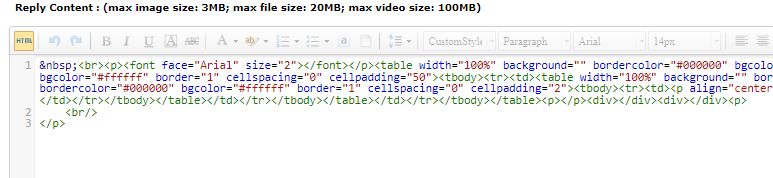
it should look like this...
not to worry it will change when we pop back in here, ok click html again and you will see your page now should look like this one
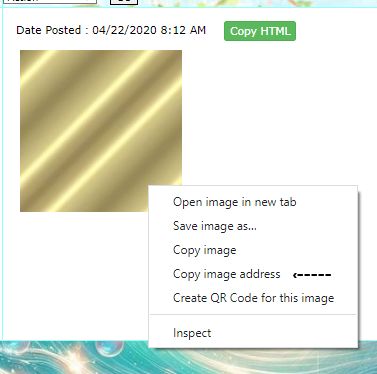
ok now we want to pick out a color something small to go on those small lines you see which will be like the second and forth ones on this page... you can now open up a tile or glitter you want to use for the inside second code the first one where it says content here is already white so the small one is where we are going to start, maybe a glitter tile... so i am going to go to gold
right click on it, click on copy image address
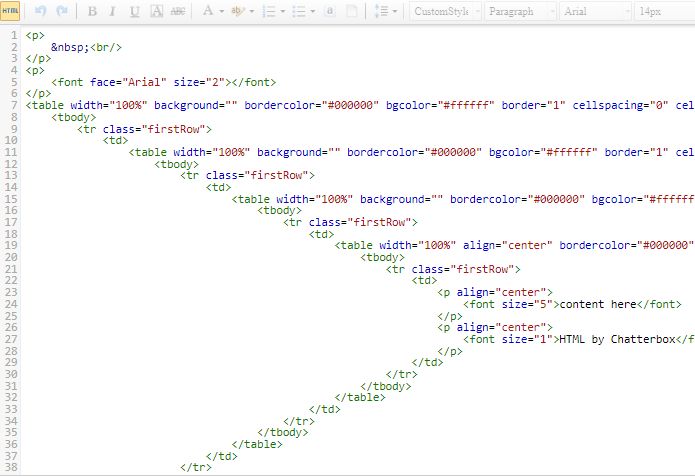
now go to the page click on html and it should look like this now
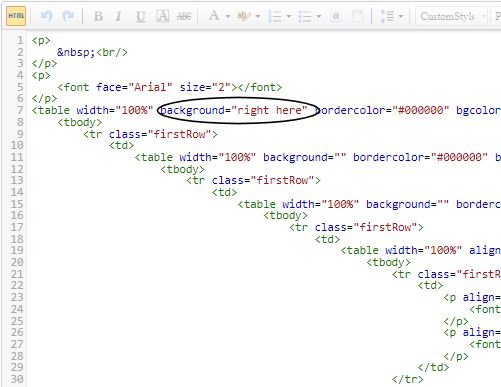
do not worry we are not going to be scared of it... lets push on through it deep breathes we can do this... ok lets see we are going to go a few layers down to the first long line, table, width 100%, background " "
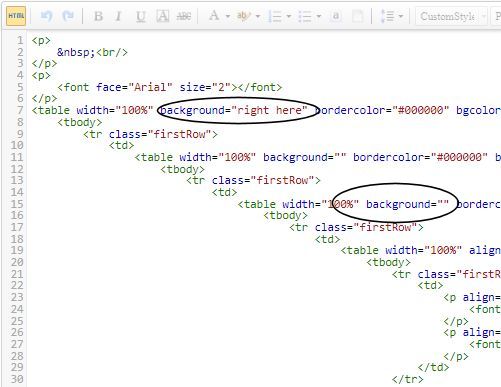
see the background " " we want to add the gold or glitter you picked out and paste the link there just click right in the middle of the " " "right here" my gold bar says I am going to space a line in the middle of the http so you can see the gold link and not the image ht tps://static.aimoo.com/upload/image/20200422/6372319029360736738739795.jpg now paste the link in background on the first one AND while you are here, go down to the third one and paste it there also
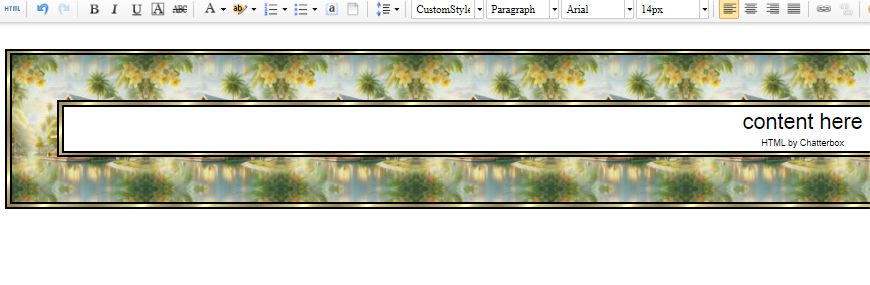
now you can click on html and see what it looks like.... we like one more to fill in now... the big middle one ......if you do not open up to many tabs you can hit post reply and come back to it, or go to the glitter tiles you were at and click on a new page to find something you want to make for the center.... I will be adding some tiles very soon...... so i am going to grab this one
copy image and them paste it to that middle background " " and it should look like this
have fun |
||||
|
Sharon2Rusty
|
Share to:


 #1
#1
|
||||
|
Re:Tutorial to making a page Date Posted:07/31/2026 2:35 PMCopy HTML
|