|
 |
|

| Title: Tube in Mask | |
| DelitefulHeartsTags > Cyane / Sharons Avenue > Sharons Tutorials | Go to subcategory: |
| Author | Content |
Sharon2Rusty

|
|
|
Date Posted:03/29/2024 6:08 PMCopy HTML
I am going to make a tube and place it behind a mask so I will make the tag while I type so I can print screen everything.. I am starting with a 600 by 500 blank canvas, I found a mask I want to use and made it a 500 by 600 already ok pick out a tube I will be using this one ©Riart Designs http://riartdesigns.blogspot.com/
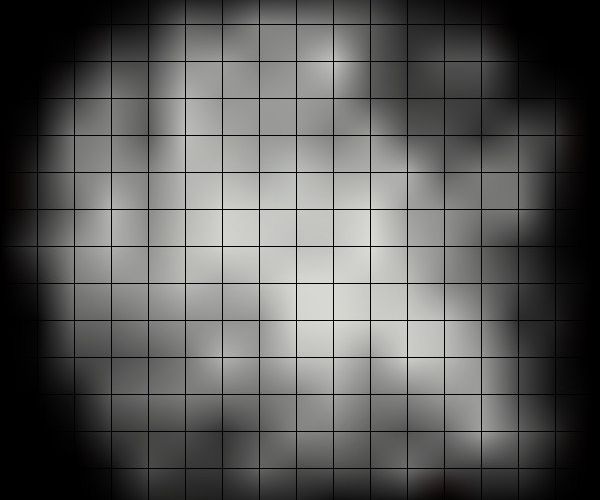
and going to use a mask like this one you can use this one if you like put it in your paint shop pro beside the lady we are going to use it soon
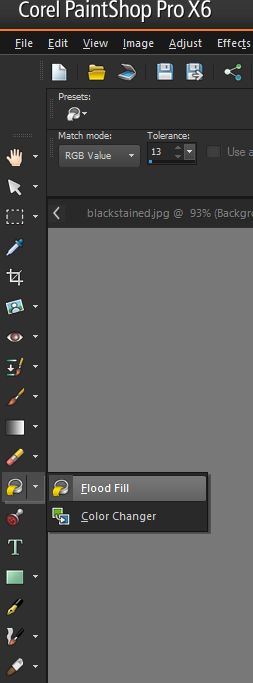
I am going to go and grab my flood fill tool or the one that looks like a paint can, click on it this is what mine looks like I am using PSP 16 on this one your maybe across the top..
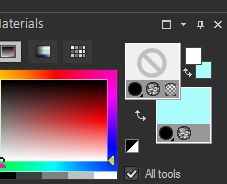
now you want to pick a color from your tube I am picking like a teal color to use
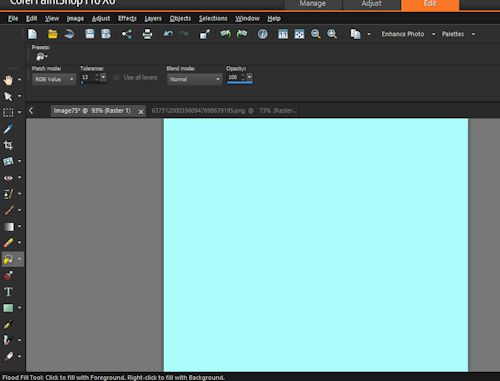
now I am going to go to my blank canvas and paint the whole 600 by 500 that color
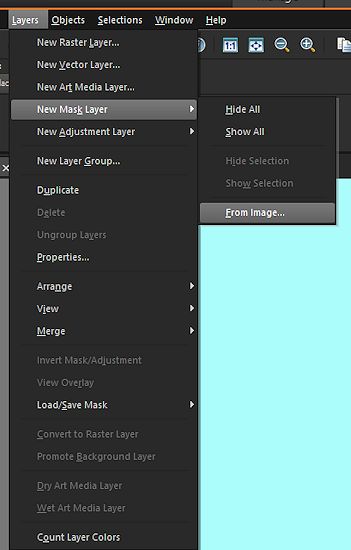
now I am going to go to layers.. new mask layer and hit from image now find your mask
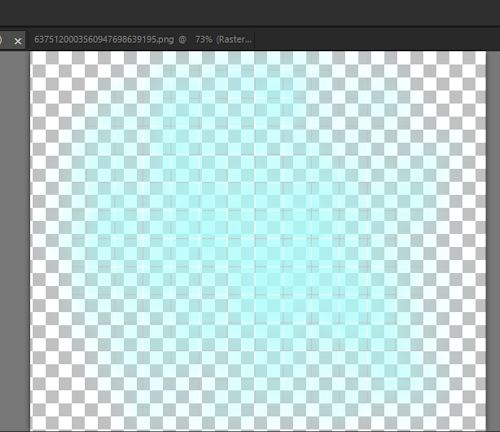
now when you find the mask click ok now you should see your color and a white background you are doing good
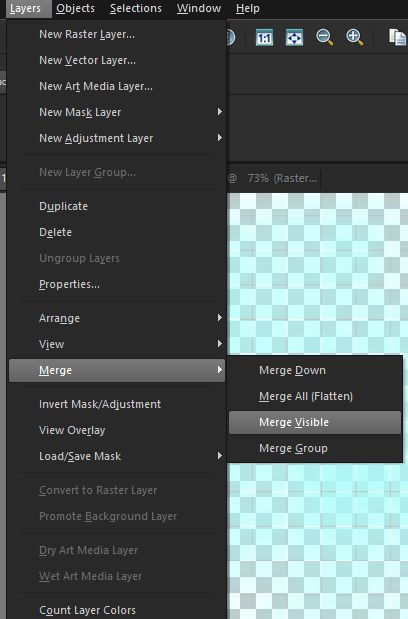
click layers, merge and merge visible
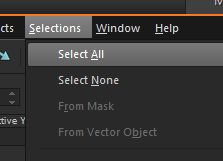
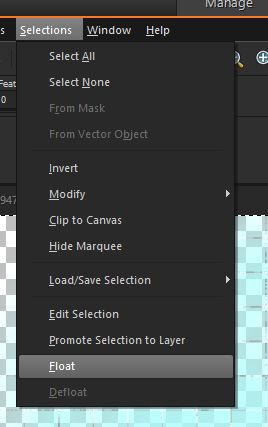
ok now all we are going to do is add the lady into the mask go find yoiur tube go to edit.. and then copy.... go to the mask you just now did and go to selection... select all
now go to selections.... float..
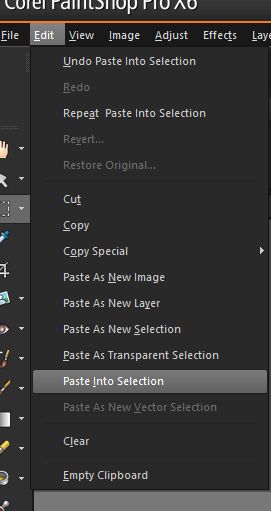
now we will see those they called marching ants around the mask ok all we are going to do now is go and copy the lady and then hit paste
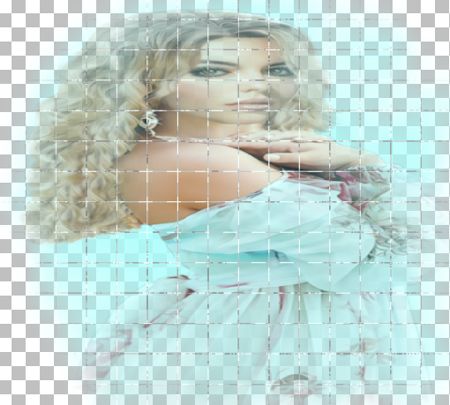
you will now see the lady in the mask, now you can eiher save it as is or you can post the lady in front of it also.. this is what it will look like you can save it in png format and still have the clear background
or save it in jpeg and it will have a white background instead and then add a lady in front adjust it around or use hortizonal to her to make it fit and you are done
ok now do not forget to add the copyright on it.. and you have finished this is snaggable
|