|
 |
|

| Title: Rippled look | |
| DelitefulHeartsTags > Cyane / Sharons Avenue > Sharons Tutorials | Go to subcategory: |
| Author | Content |
Sharon2Rusty

|
|
|
Date Posted:03/29/2024 6:05 PMCopy HTML
I was reading a tutorial and it was so long I nearly fell to sleep with all of the words... I am going to post pictures and a few words on mine to make it easier.. we will do one together... ok let pick a tag... I am going to pop over and grab a free to use one... I am going to use a shelia craigs tube
without the copyright on it
ok open up a apge 800 by 250 or any size you want to use... put the lady around the frame a few times, just keep hitting layers from this one
to something like this just place it anywhere to fill up the gap
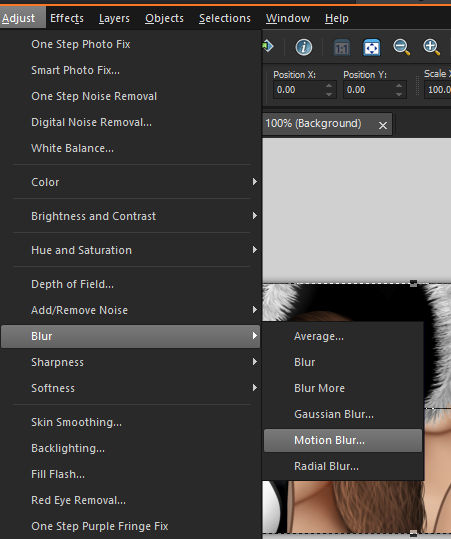
ok now lets go to adjust .. blur and motion blur..
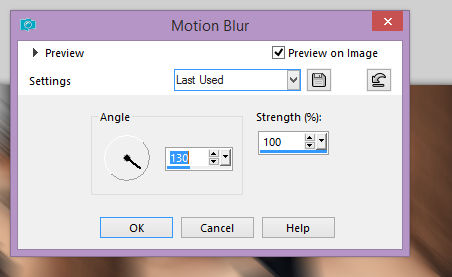
lets do only one time on the motion blur to a 130 strength 100
here is what it will look like
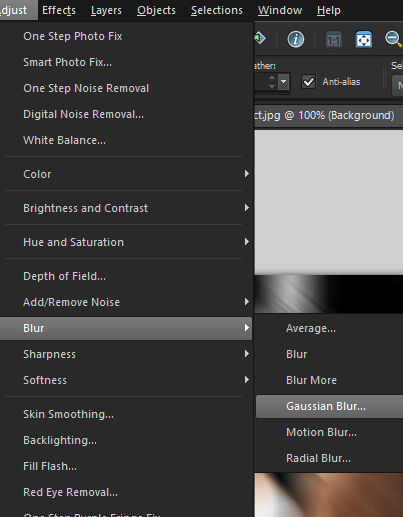
lets put a small effect, go to adjust... blur and Gaussian blur...
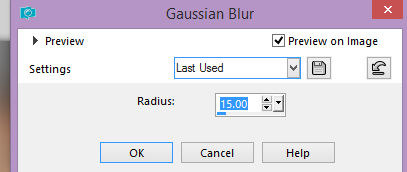
now lets change it to like 15
should look like this right now
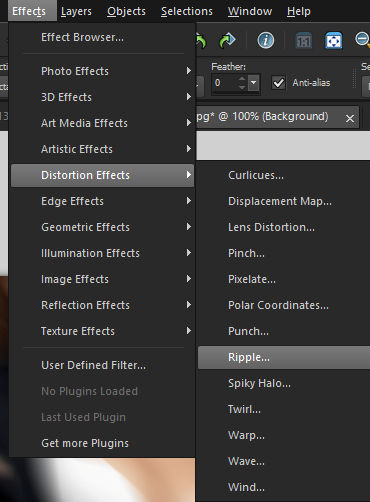
ok now lets go to effect....distoration and ripple....
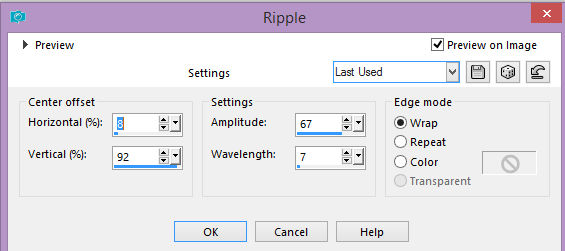
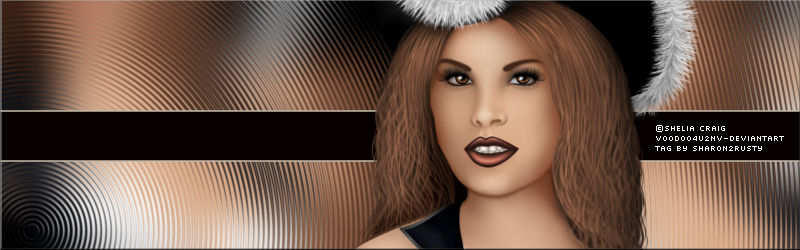
go to ripple and play with the numbers here is what I am using horizontal ..8 vertical..92 amptitude..67 wavelength..7 wrap.... clicked
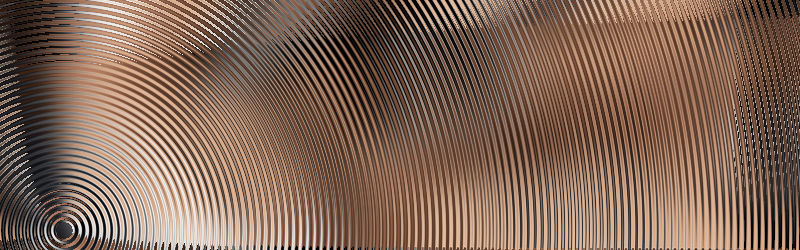
this is what it looks like now
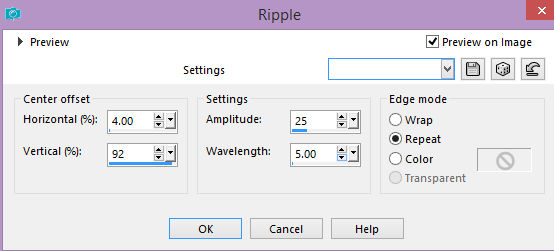
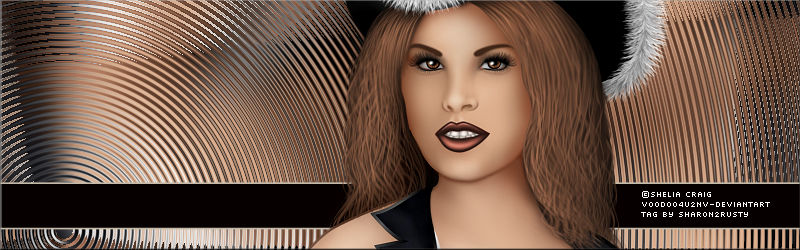
if you play with the numbers you can come with a lot of different background sizes.. this is what I did ith another few numbers moving around the wavelength is the key to make the ripples smaller or larger
horizontal..4 veritical..92 amptitude..25 wavelength 5.00 repeat clicked
now you can place your lady on the tag and there you go or make a line on the bottom or center put the copyright on it.... type in your name and you are done here is what they look like
|