|
 |
|

| Title: Pillow Fight Animated | |
| DelitefulHeartsTags > Cyane / Sharons Avenue > Sharons Tutorials | Go to subcategory: |
| Author | Content |
Sharon2Rusty

|
|
|
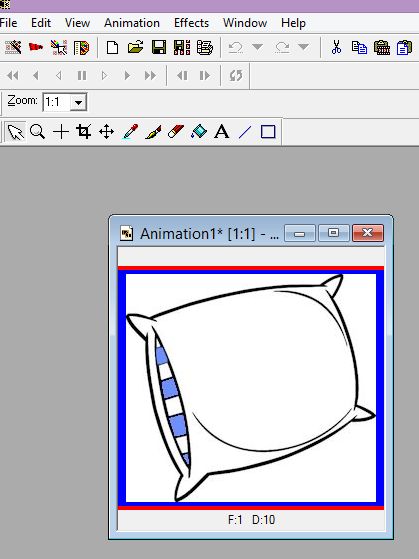
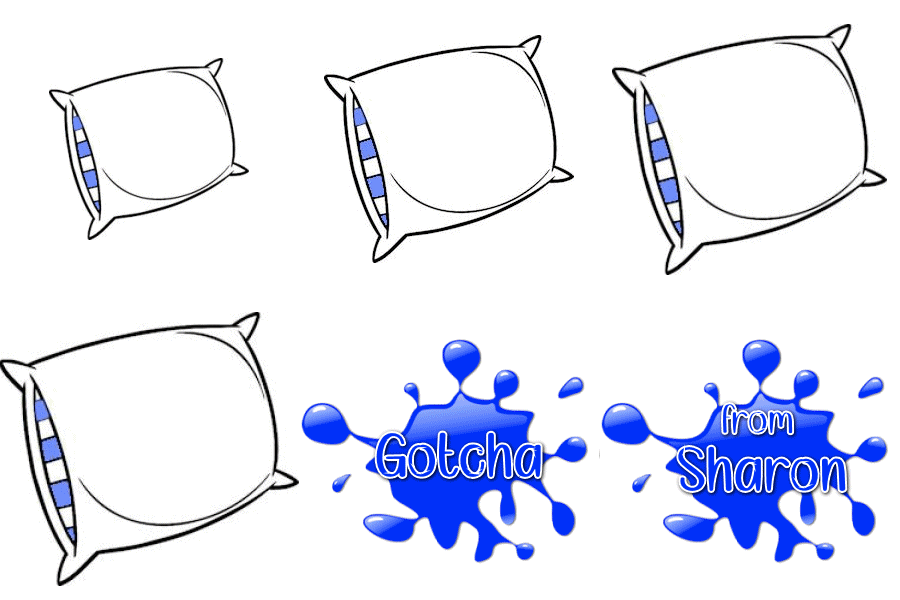
Date Posted:03/10/2025 11:00 AMCopy HTML we are going to make a pillow animated... using this pillow
and these beautiful splat design you can make your own if you want to
now I am going to make this in animation...
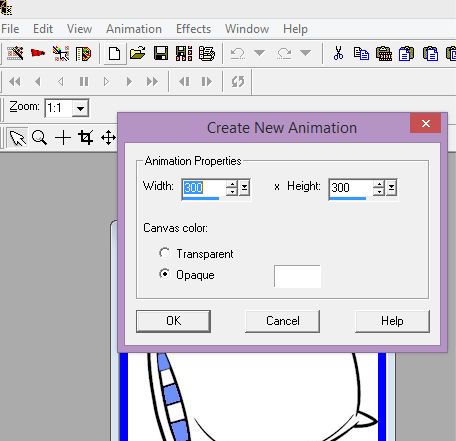
the pillow it is 200 by 200.. I am going to make 6 frames doing 300 by 300 opaque
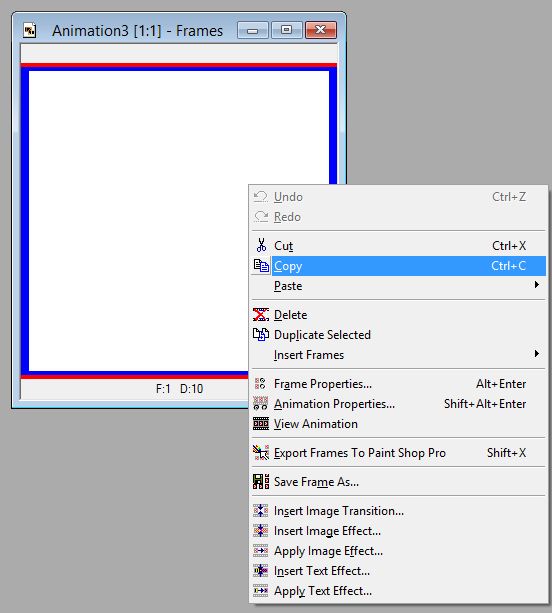
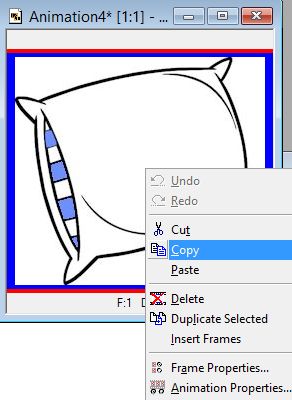
now we are going to make the 6 blank frames right click on the frame and click copy
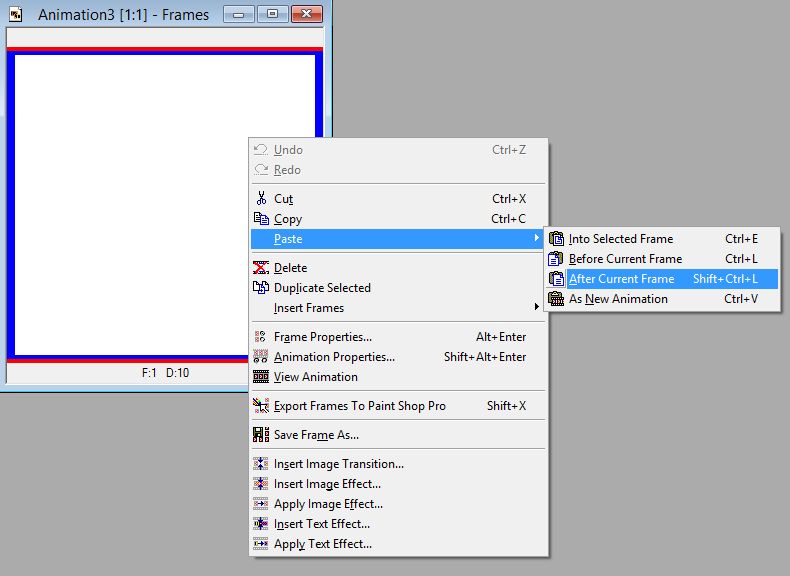
now paste after current frame do this til you reach 6 frames
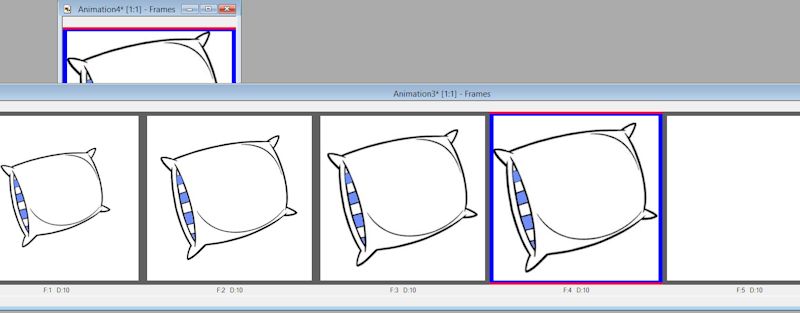
now they are all blank now it is time to resize the pillow you picked out start by adding the 200 by 200 one as is it is 200 by something else not 200 by 200 right click copy the pillow
click on the first blank frame so no of the others will have a blue line around them now paste into selected frame
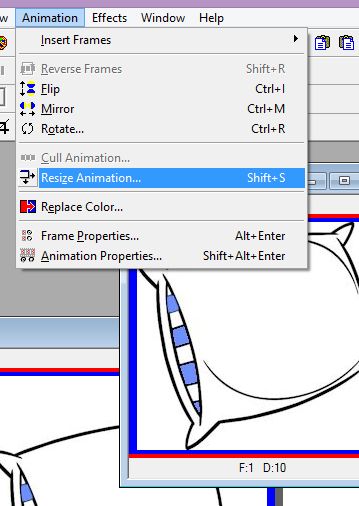
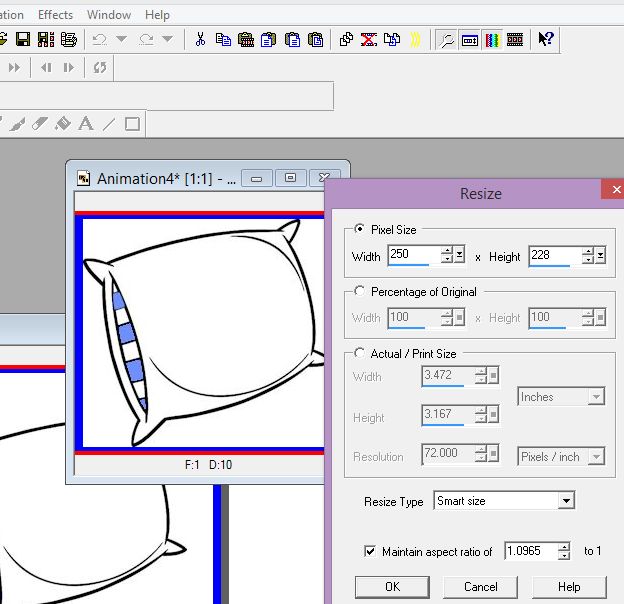
now you will have the smallest pillow in frame one now go to the pillow and we are using and resize it to 250
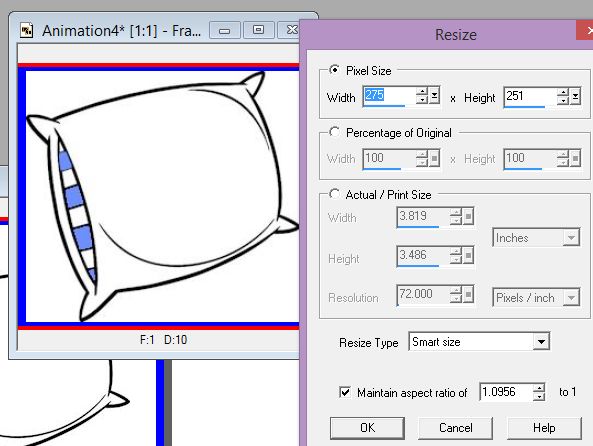
and place it on the second frame then go to the pillow again and make it 275 and post it in the 3rd frame
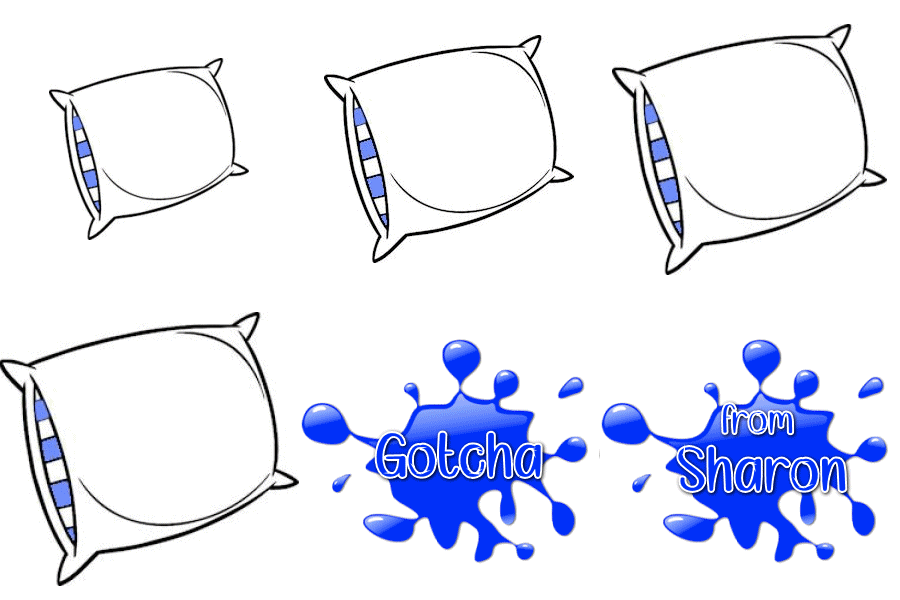
and then the fourth one should be 300 now we have 4 frames we just need the splat and out name on th2 last 2 frames oh right now it should look like this
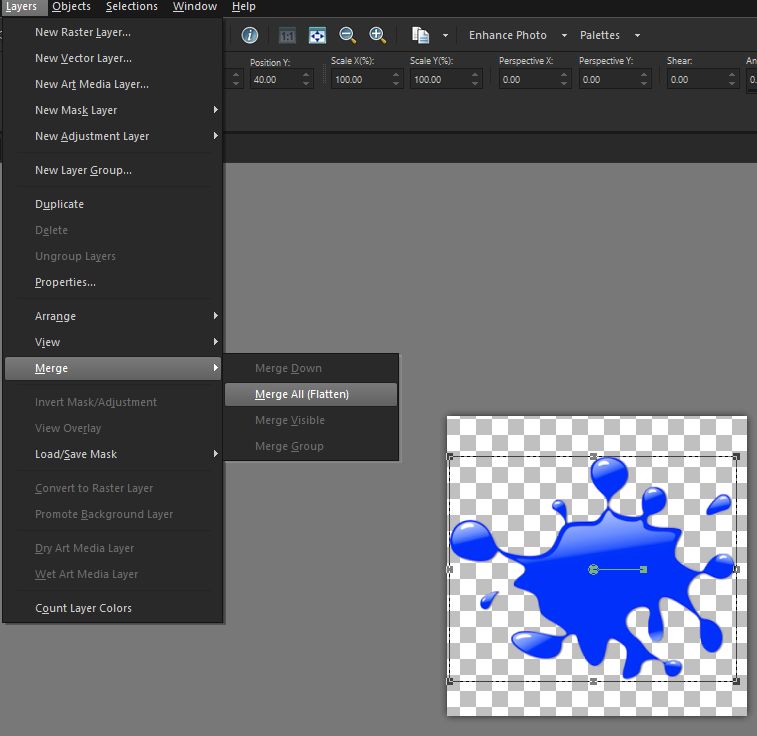
now pick a splat make sure we do like 300 for the width take it to psp program and type in what you want on the fifth frame put it on the fifth frame with the letters splat or gotcha or something on it adjust it the way you want, move it around and now we are going to go ahead and make it a white background on it so this way we can make two of the frames one with gotcha and one with out name
take it ti animation now it looks like this
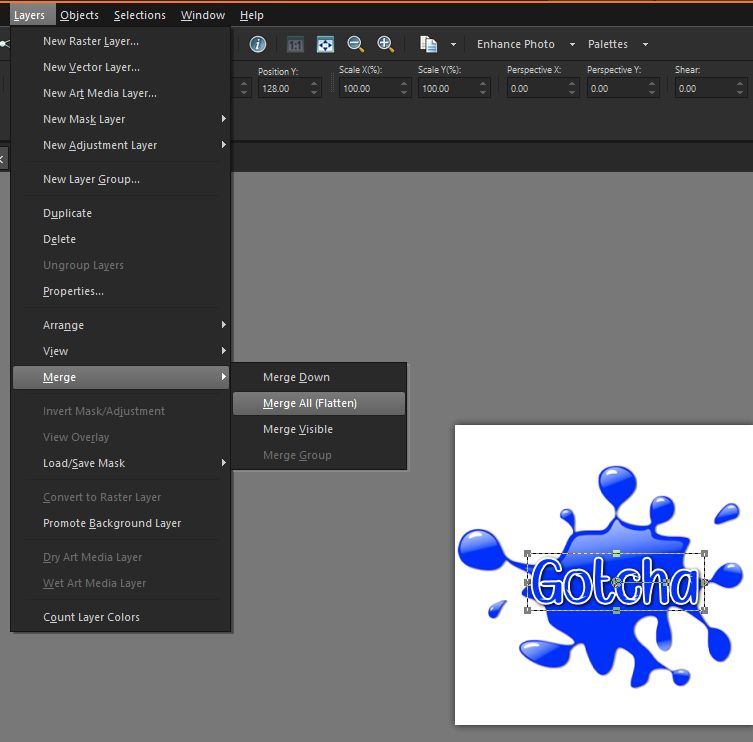
now type in gotcha or something layers.. merge... merge all
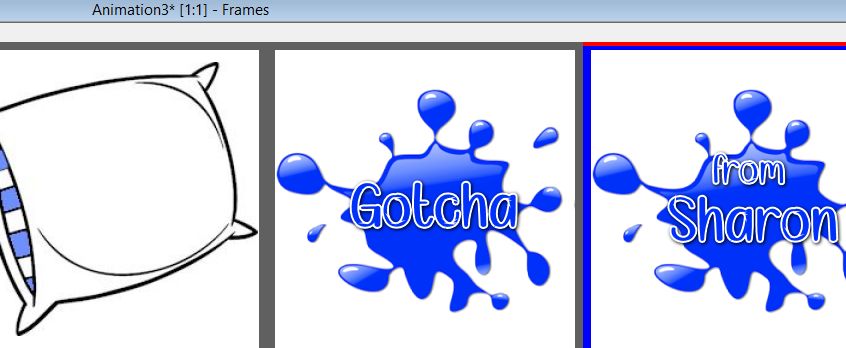
now go to copy take it to animation paste it on the fifth frame now go back to the psp and delete the gotcha saying and now type in your name or something for the sixth frame again merge and merge all copy and then go to animation and paste it on the sixth frame
now we will speed it down a bit.... here is what we got on all 10 speed
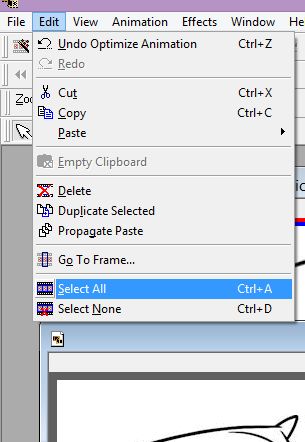
click on edit select all
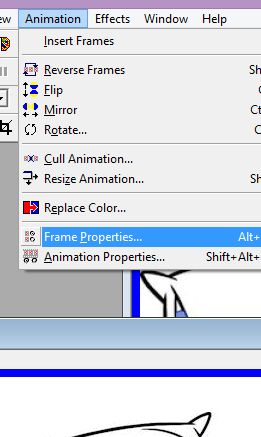
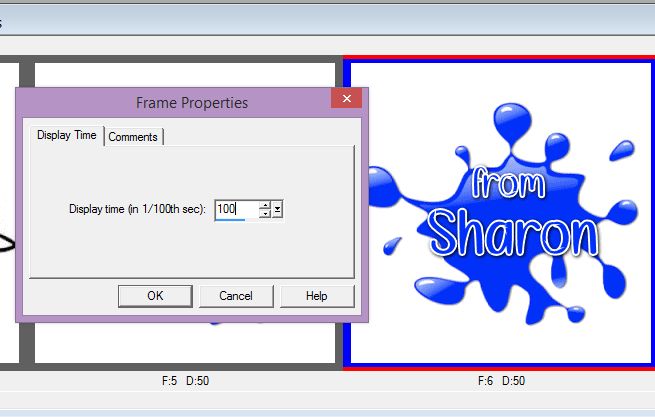
now go to animation frame properties
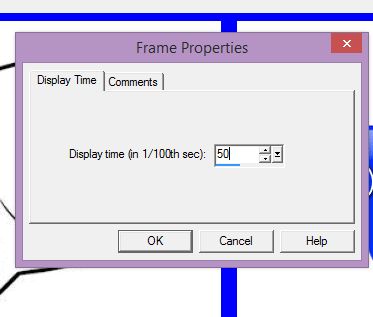
click 50
BUT we want to make the last one a bit longer so now just click on the one with your name on it and go to frame properties and click on 100 only the one you want to make slower will have a blue line around it
you did it !!!!!!!!!
|