|
 |
|

| Title: My Version on making borders | |
| DelitefulHeartsTags > Cyane / Sharons Avenue > Sharons Tutorials | Go to subcategory: |
| Author | Content |
Sharon2Rusty

|
|||||||||
|
Date Posted:03/29/2024 6:23 PMCopy HTML first find a code you like to use I am going to go to chatterbox and grab the 4 coded one this one will already have the white background
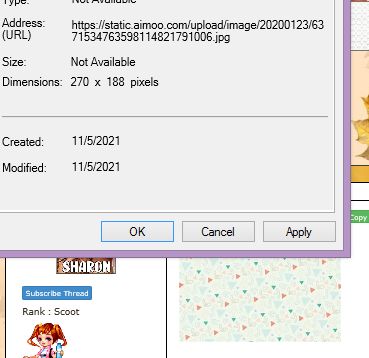
find a code and just use the copy html and paste it to a new message first you want to find the background you may like to use like a tile or something, if you do not see one you like you can make one and add it in here and use it,,, ok find a tile,,, ok I am going to go to hearts and right click on it go to properites
you will see this
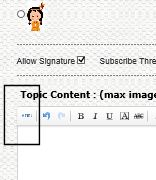
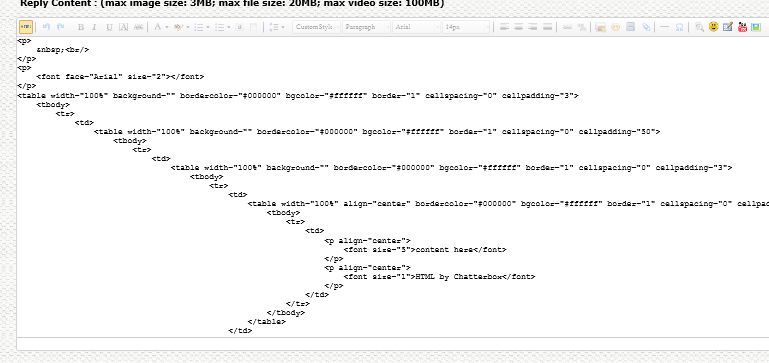
copy the address url... ok now go to the html code you opened up in new topic now click on the little html on the top left hand corner ok got to HTML.....
you will now see something like this
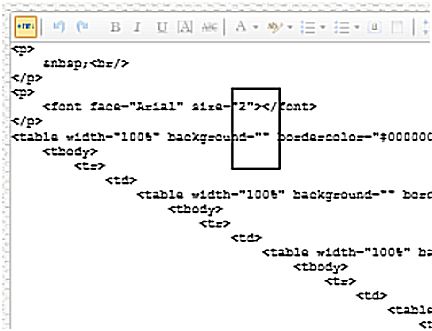
if I can zoom in here is where you will paste your tile code into
you can use a solid color or something little glitter depends on how many codes you want to use for the border as you can see I left the 1st and the 3rd code empty the second one is where I usually place a large well not to large design and the 1st and 3rd codes, I place a gold tile in there.. hope this helps again this is my version, another desinger may have it ALOT EASIER then this one
|