|
 |
|

| Title: Making a Circle frame in PSP 7 | |
| DelitefulHeartsTags > Cyane / Sharons Avenue > Sharons Tutorials | Go to subcategory: |
| Author | Content |
Sharon2Rusty

|
|
|
Date Posted:03/29/2024 6:04 PMCopy HTML
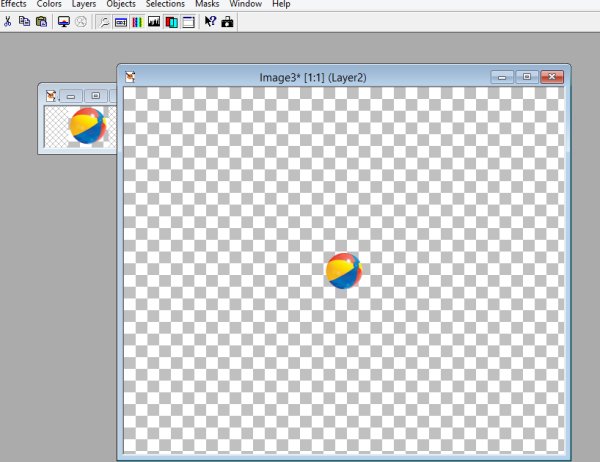
here is a quick and easy but fun way to make a frame from anything.... yes anything..... pick you out something make it small like maybe a 50 by 50 I am going to use a beach ball this one here....
we are going to make this a beach ball frame now watch this is going to be fast and fun if you have mura meister.. I hope you do I have had this plug in for years and years and use this and the wall paper all of the time... set your design in the middle of your new image which I have mine set for 600 by 500 (just hit copy on the image you are using then paste...)
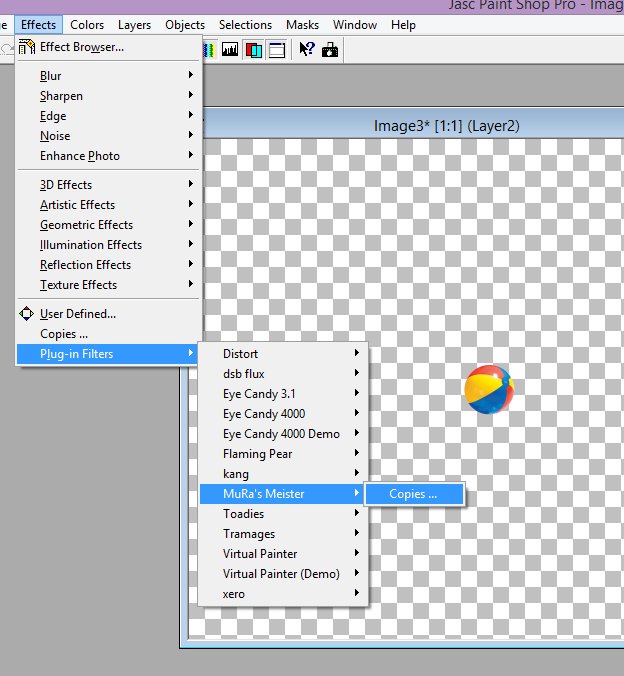
now go to effect plug in filters mura meister then copies
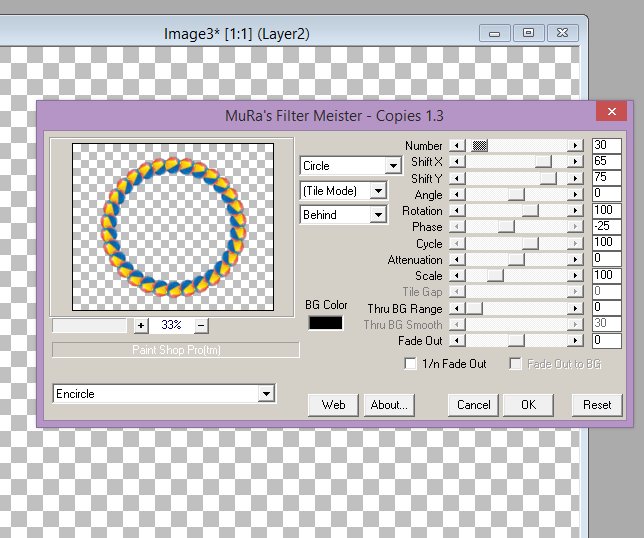
now go to encircle and play with the numbers a bit mine is set to these numbers number - 30 shift x - 65 shift y 75 and i think the rest is set to normal I do not think I messed with those numbers before I did this tutorial but here is a snap shot hope you are able to see these images...
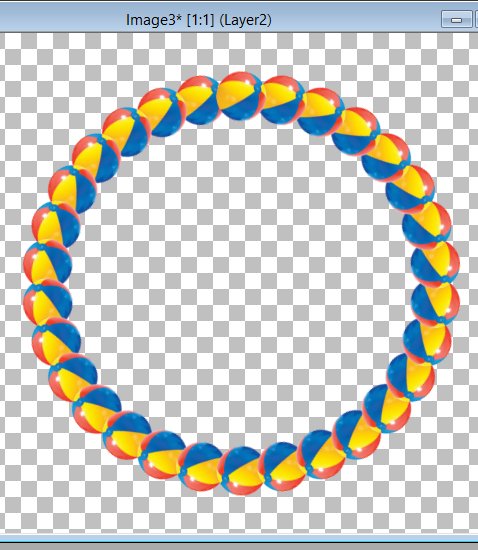
but using those numbers here is what it looks like
now you can do smaller images or larger ones and add to the frames you make... have fun
|