|
 |
|

| Title: Kaleidscope effect | |
| DelitefulHeartsTags > Cyane / Sharons Avenue > Sharons Tutorials | Go to subcategory: |
| Author | Content |
Sharon2Rusty

|
|
|
Date Posted:03/29/2024 6:20 PMCopy HTML
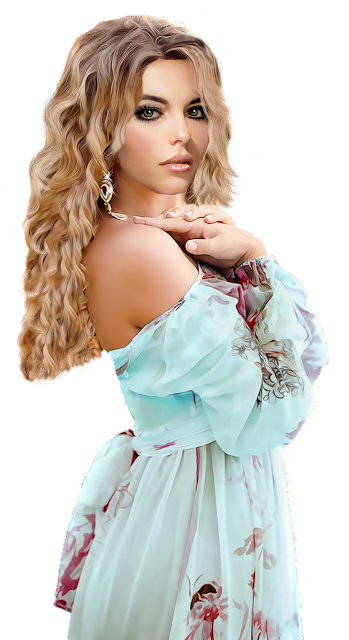
I am using the art of ©Riart Designs http://riartdesigns.blogspot.com/ I am going to pick out a couple of tubes and work with one of them...
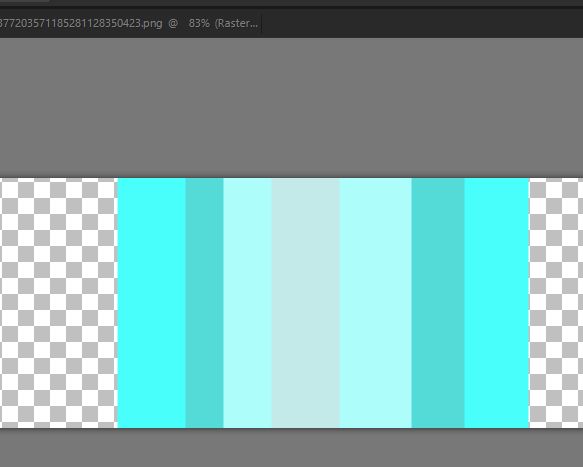
make a 800 by 250 banner size blank page now I want to match the colors of her dress for the background effect just pick a shade and place it in the middle and go light on the sides and maybe a dark shade, just as many as you like then click layers .. merge.. merge visible
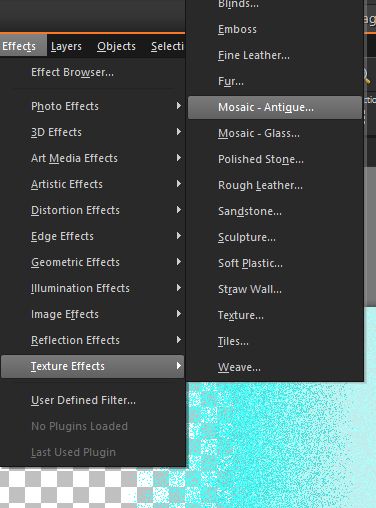
now we have some room on both sides that is transparent go to effects...texture... mosaic antique...
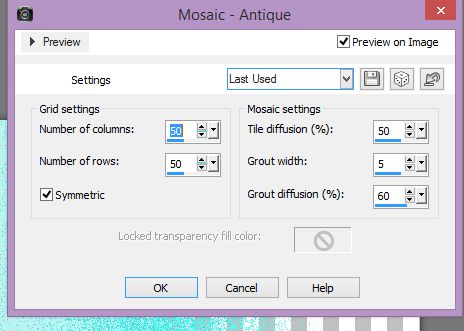
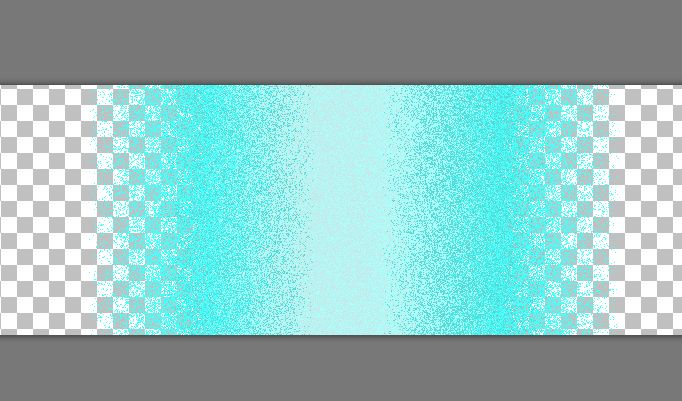
play around with this til you find something you like I am doing number of columns 50 number of rows 50 check on the symmetric tile diffusion 50 grout width 5 grout diffusion 60
this is what I came up with
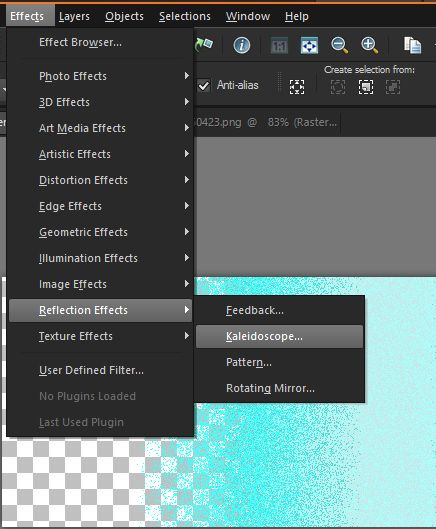
now go to effect... reflection..kaleidoscope
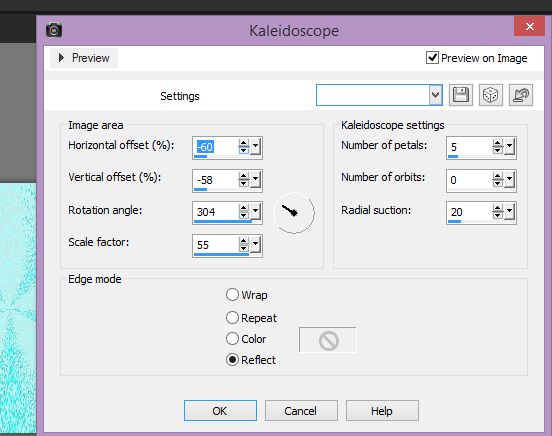
play with it til you find something you like I am doing this one this way... Horizontal -60 vertical - 58 rotation angel 304 scale factor 55 number of petals 5 number of orbits 0 radical suction 20 check on the reflect, the other edge modes are awesome also..
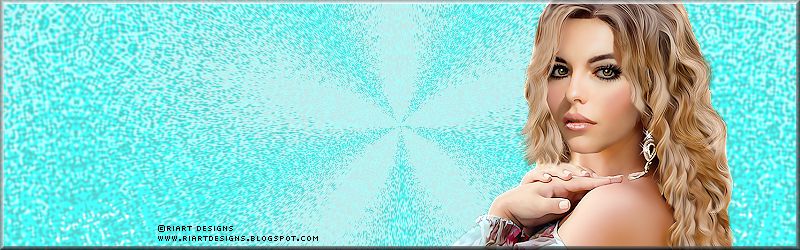
this is what I have now
this can now be merged, go to layers, merge, merge all we did the kaleidoscope effect with just a few shades, now you can add the lady add the copyright on it and you are done..
the effect will look different if you use different colors as I will show in the next message using the same lady, and by changing the colors to a lets do a pastel.. be right back
|