|
 |
|

| Title: Glow Name | |
| DelitefulHeartsTags > Cyane / Sharons Avenue > Sharons Tutorials | Go to subcategory: |
| Author | Content |
Sharon2Rusty

|
|
|
Date Posted:03/29/2024 6:01 PMCopy HTML
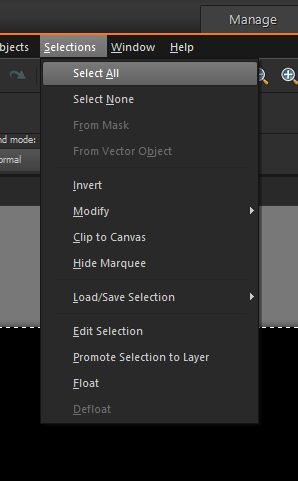
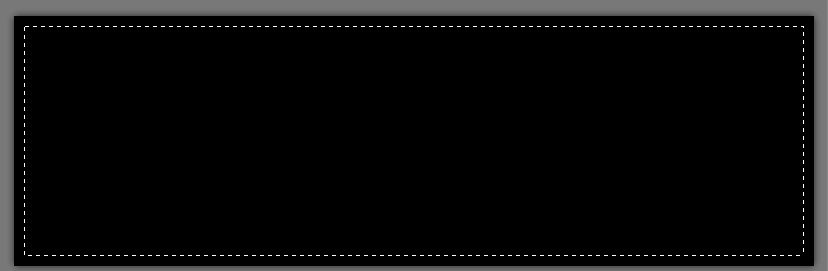
I am making the tag as I write so I may have to change something after it is done, like the size of the font or something... here we go we will do this together... lets make a banner size glow name ok open it up to 800 by 250 I tell you what lets do a black gold and black banner first.... color the background black....#000000 go to selections select all you will see some marching ants around the black background
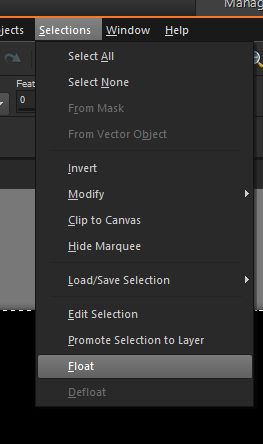
now go back to selections and go to float
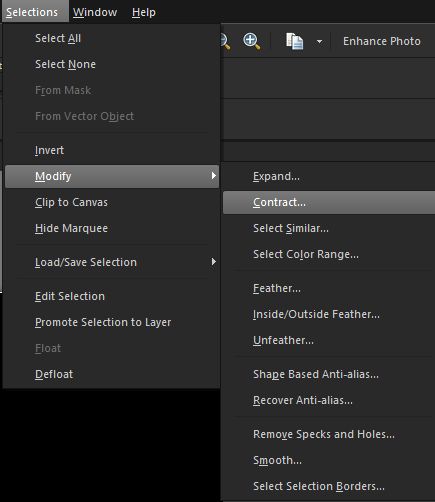
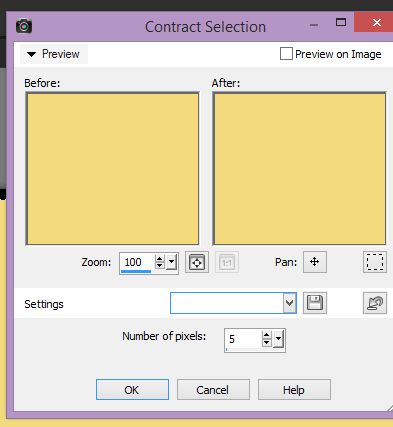
ok now we are going to do one more thing go to selections again and now go to modify contract
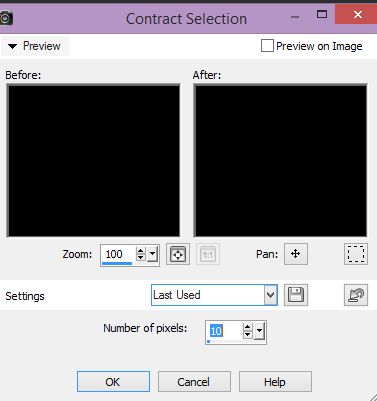
now go to number of pixels and lets put 10 in there you can do 5 if you want to, this is just the first color of the banner right now...
you can now see what it is going to look like
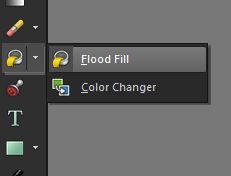
ok we are going to add the gold color, if you have the gold tile you can use it if now lets see if we can find one shade the same color ok how about this one ... #f2db7d go to your flood fill tool or paintcan go up to the foreground color and type in the gold color.... #f2db7d
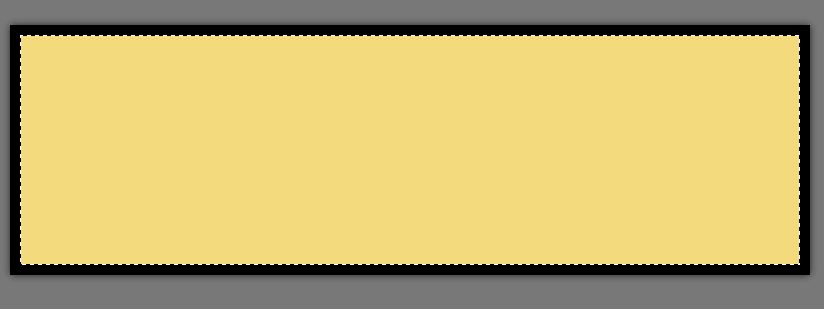
now using the paintcan fill in the gold on the banner
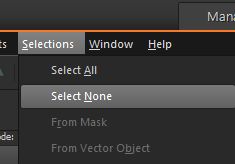
now we are going to add another black one on top of the gold so go to selections modify contract and lets move it down to 5 this time
and we are going to fill it with black now so go to the paint can change the gold or the yellow color we used and move it back to black fill it in now go to selections and select none
here is what it is looking like now
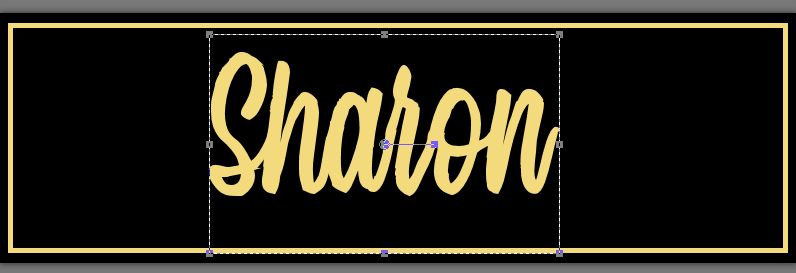
ok we got our banner made I think it is going to be longer making the banner then the glow name ..... ok lets find a font...... the color lets use the gold one #f2db7d just set the foreground to black and background to this color...#f2db7d I am going to use mission script font... size it up maybe 72 you want it to be big to fit the banner you will not see the black from the font
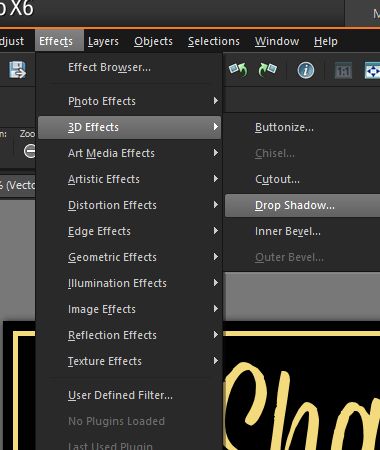
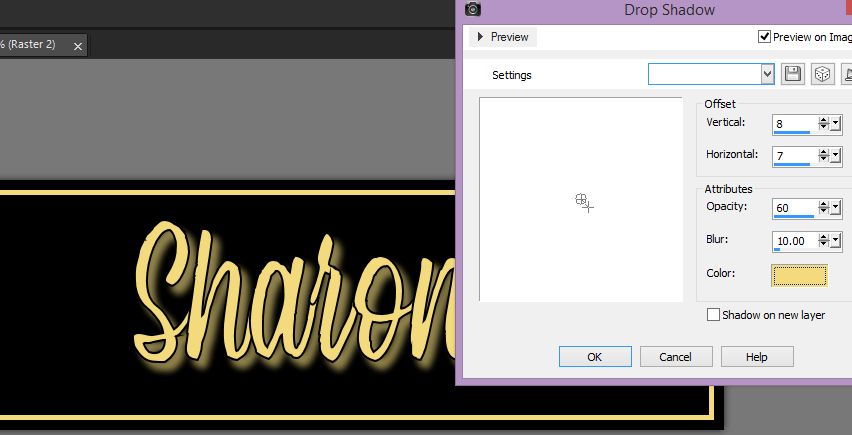
now go to effects 3d effects drop shadow
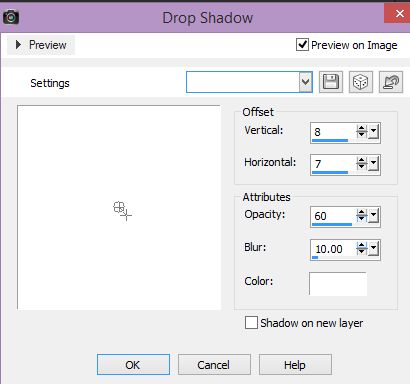
now lets play around with the shadow I am thinking this one is fine on my name
it looks like this now
now if you use that gold color we have been using it will look like this
play with the colors, you may like red in the background or any other color have fun and if you have any samples post them...
|